How to get more Google reviews, and reply to them well
Growth · · 3 min read · By Rahul Menon, Growth, LogAI
When someone searches for a tailor, a dentist or a bakery near them, Google shows a map with a handful of businesses and a star rating next to each. The rating and the number of reviews decide who gets the call. A business with 4.6 stars from 180 reviews gets chosen over one with 4.9 from 9, every time.
The good news is that reviews are mostly a matter of asking well. Here is how to build a steady flow of them without begging, bribing or breaking Google's rules.
Ask at the moment of happiness
There is a short window when a customer is delighted: the cake was perfect, the alteration fits, the treatment did not hurt. Ask then. For a shop that is the moment of handover; for a service it is the follow-up message a day later; for deliveries it is the day the parcel arrives. Ask a week later and the feeling has faded.
Make it a two-tap job
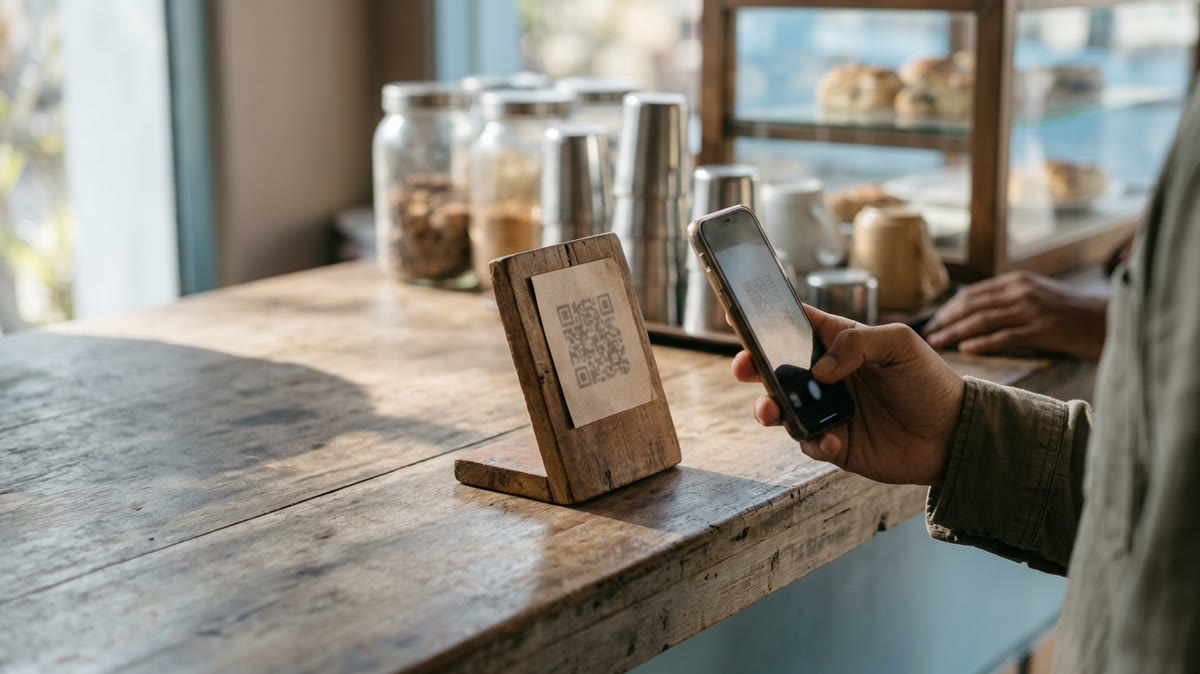
Nobody searches for your business on Google Maps to leave a review. Get your review link from your Google Business Profile (look for "Ask for reviews" or "Get more reviews"), shorten it, and put it everywhere the customer already is: in the thank-you WhatsApp message, on a small QR stand at the counter, on the invoice footer, in the delivery SMS. The link should open the review box directly.
The message that works
- "Thank you for shopping with us today, Divya! If you have a minute, a Google review helps a small business like ours more than you would think: [link]"
- "Hope the kurta fits perfectly. If you are happy with it, would you leave us a quick review? It takes 30 seconds: [link]"
- "Thanks for visiting the clinic. If everything went well, a review helps other patients find us: [link]. If anything did not, please reply here and I will sort it out personally."
Keep it personal, keep it short, and send it from the number the customer already talked to. A message from the owner outperforms a message from "the team".
Stay inside the rules
Google's policies do not allow paying or giving discounts for reviews, and they do not allow asking only the customers you think will be positive while steering unhappy ones elsewhere. Ask everyone, the same way. The third message above does this honestly: the review link goes to all, and the invitation to reply privately gives an unhappy customer a better route than a public one-star.
Reply to every review, especially the bad ones
Replies are read by the next customer, not just the reviewer. A warm two-line thank-you on a good review shows you are paying attention. A calm, specific reply to a bad one is the most persuasive thing on your profile: it shows how you behave when something goes wrong.
| Review | Reply |
|---|---|
| Five stars, "Loved the cake" | "Thank you, Divya! The chocolate truffle is our favourite too. See you for the next birthday." |
| Two stars, "Order was late" | "I am sorry, Arun. Your order should have reached you by 6 pm and it did not; that is on us. I have messaged you directly to make it right. Thank you for telling us." |
| One star, no text | "Thank you for the feedback. We would like to understand what went wrong; please message us at +91 77366 81221 so we can fix it." |
Never argue, never post a customer's personal details, and never copy-paste the same reply ten times. Three honest sentences beat a paragraph.
Make it part of the routine, not a campaign
A burst of fifty reviews in a week looks odd to Google and to customers. A steady three or four a week, every week, looks like a business people like. Put the ask into the flow: the thank-you message after every order, the QR card at the counter, the line on the invoice. In LogAI the thank-you with your review link can be a saved reply in the WhatsApp inbox, a workflow can remind the team to send it after a deal is won, and your Google Business Profile posts go out from the same marketing calendar as Instagram and Facebook.
We asked the same way every time and replied to every review. In six months the phone rang noticeably more.
Frequently asked questions
When is the best time to ask for a Google review?
Right after the moment of happiness: at handover in a shop, the day after a service, or the day a delivery arrives. The feeling fades within a week.
Can I offer a discount for a Google review?
No. Google's policies prohibit paying or rewarding customers for reviews, and they also prohibit asking only customers you expect to be positive. Ask everyone the same way.
Should I reply to negative Google reviews?
Yes, calmly and specifically, and take the conversation private to fix it. The reply is read by future customers and shows how you handle problems.
How do I get my Google review link?
In your Google Business Profile, use the "Ask for reviews" option to copy a link that opens the review box directly. Shorten it and put it in your thank-you messages, on a QR card and on invoices.
Start free with LogAI — no credit card, full access, set up in five minutes.